

KYC Verification
Q1: Apple Pay deposits on Sahm Platform are advertised as same-day arrival. I’ve already completed the transfer — why am I being asked to submit bank card proof?
A: You may be prompted to upload bank card proof if you have reached the limit for changing linked cards. We suggest not changing your linked card more than once per day. If the required proof is not uploaded within 72 hours of the KYC trigger, the funds will be automatically refunded to the original payment source.
Solution: After completing the payment, the system will initiate the card verification process. You must upload a photo of the specific bank card used for that transaction.
Important: Your submission must clearly display your Full Name and the last four digits of the card number. Your top-up will only be finalized once our team has reviewed and approved the documents (as shown in the image below).
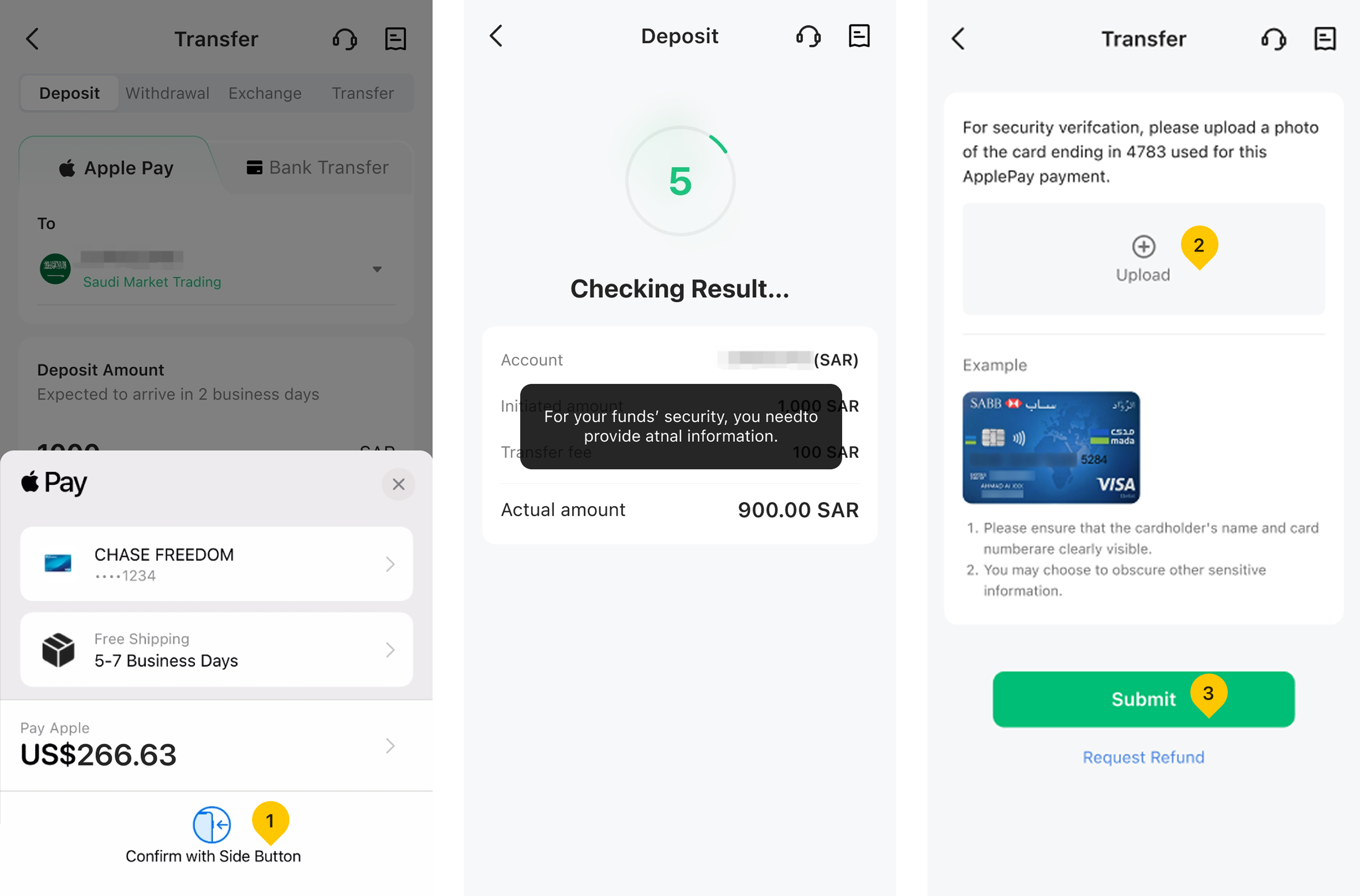
Account details in the above screenshots are for testing purposes only and do not contain any real user info.
Q2: Why was my Apple Pay deposit refunded? How can I fix this?
A: Refunds typically occur for two reasons:
Invalid Documentation: The proof you uploaded did not meet our verification requirements.
KYC Timeout: You did not upload your bank card information for KYC verification within the 72-hour window.
Solutions:
If your documents were rejected: Please initiate a new deposit. To ensure success, avoid frequent card changes, ensure the bank account name matches your Sahm account, and only use your own personal card.
If you missed the 72-hour window: Simply wait for the refund to be auto-processed, then submit a new deposit request.
Refer to screenshots below for deposit failure prompts:
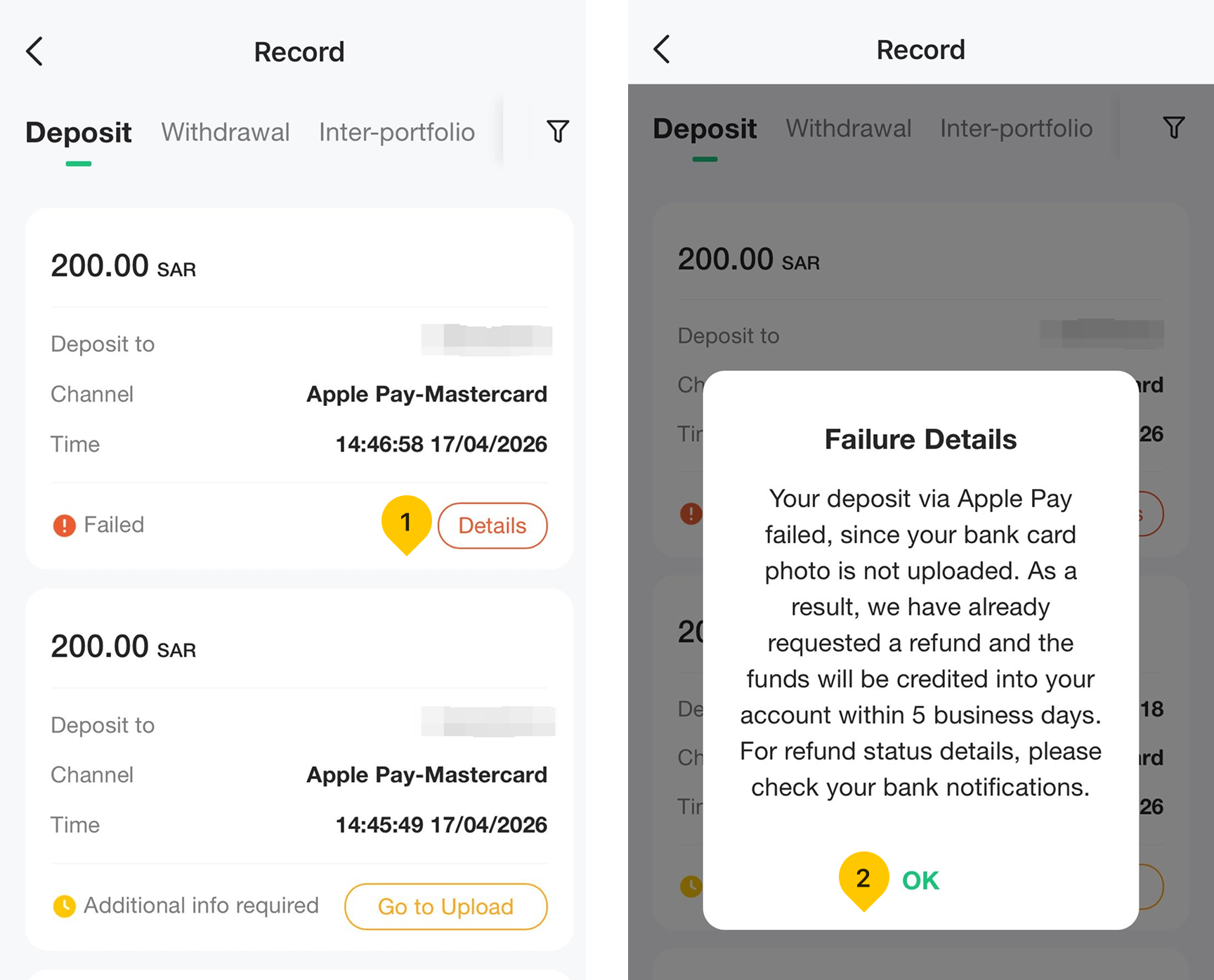
Q3: How will I know if I need to complete KYC verification?
A: If a KYC check is triggered, the system will notify you via push notification, SMS, and WhatsApp. Additionally, you will see upload entry on the Deposit Record page and “To-dos" entry on the Deposit Methods selection page.
"To-dos" entry screenshots:
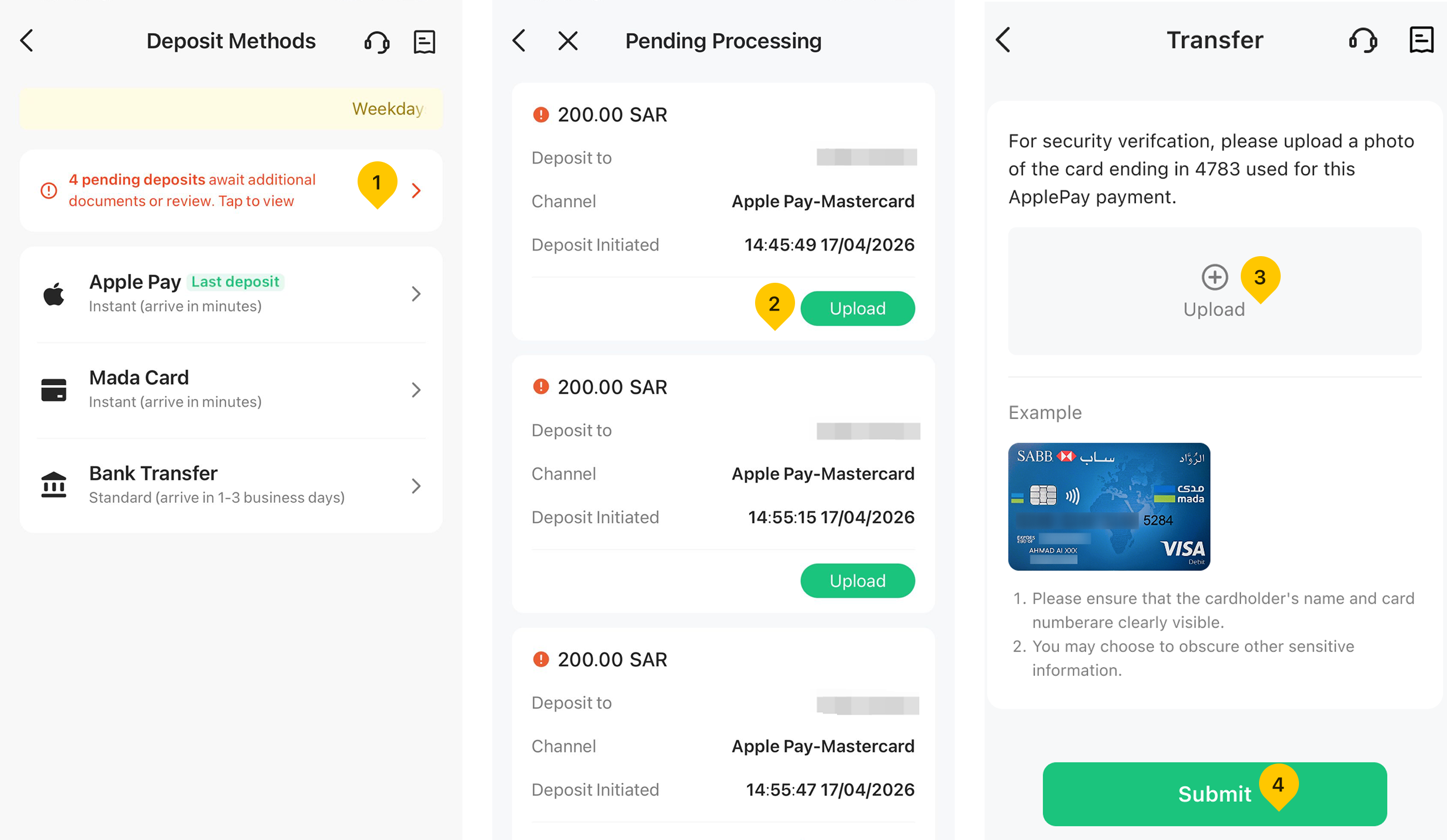
Account details in the above screenshots are for testing purposes only and do not contain any real user info.