

How to Exchange Currency on Sahm Web Version?
- To exchange currency on Sahm website, follow these steps:
- Click "Transfer" on the left side of the page, then select "Exchange".
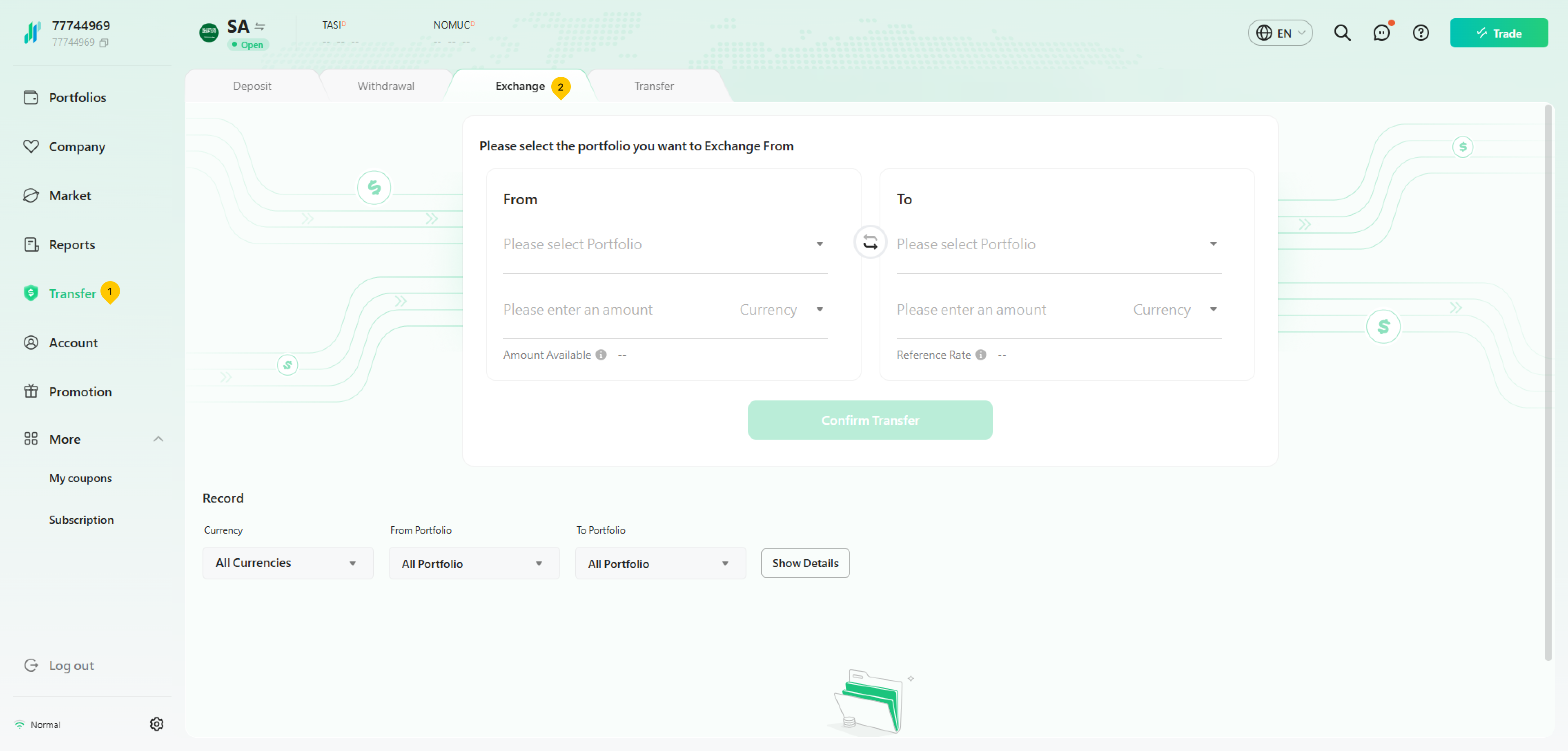
- Select the account you want to transfer from, enter the amount you wish to exchange and select the corresponding currency.
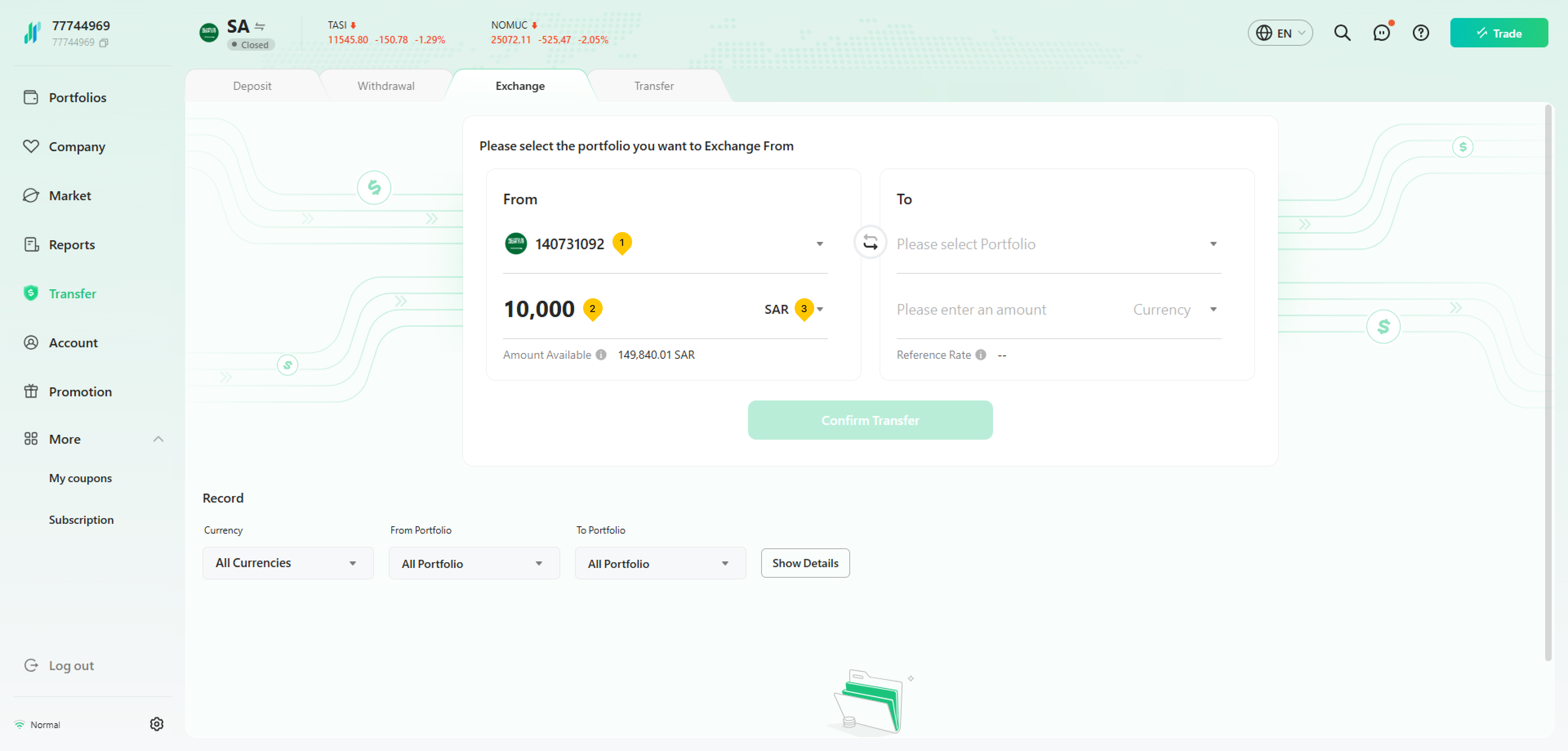
- Select the account you want to transfer the funds to, and click on "Confirm Transfer".
- Enter your trading password to finalize the exchange.
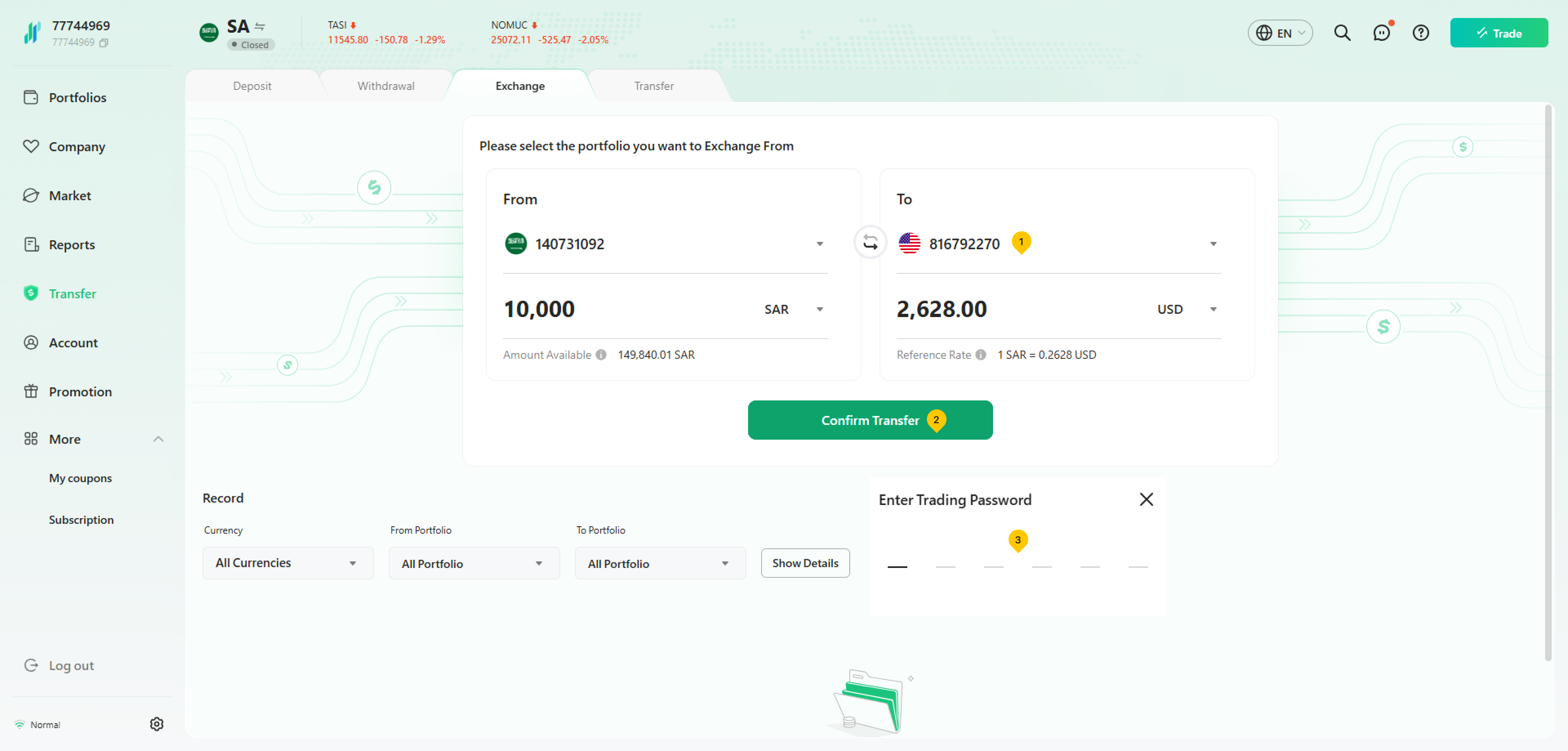
Exchange rate: Real-time rates in the foreign exchange market are provided by banks.
Was this article helpful?
You can also
contact Customer Services
for help.
Yes
No