

Where to find the price alert feature on Sahm?
There are three ways to access the price alert feature on Sahm:
Method 1:
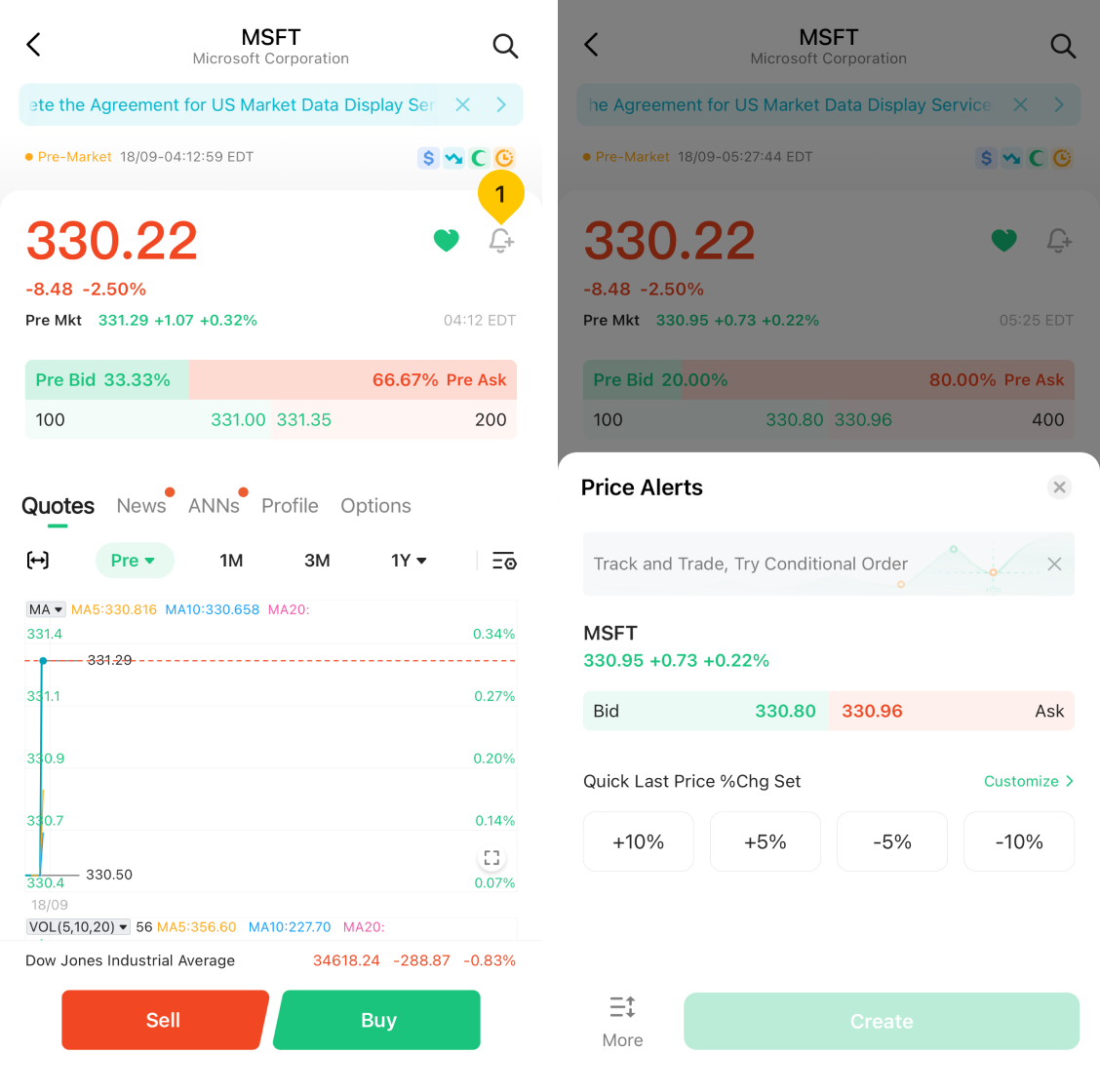
- Navigate to the stock you're interested in by entering its detail page.
- Tap "Bell" icon to set a price alert.
Method 2:
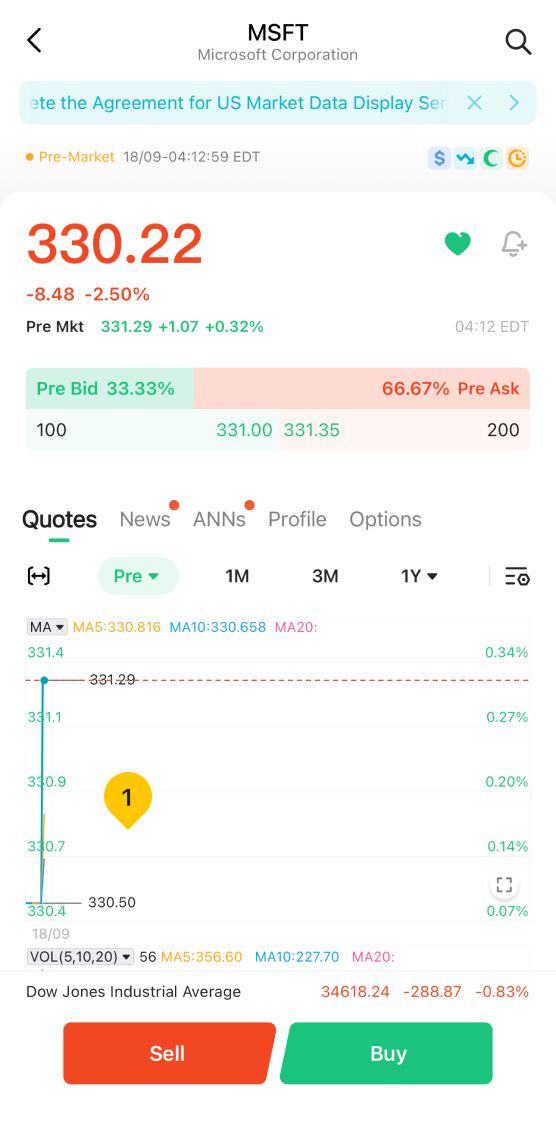
- Navigate to the stock you're interested in by entering its detail page.
- Double tap stock chart to switch to full screen.
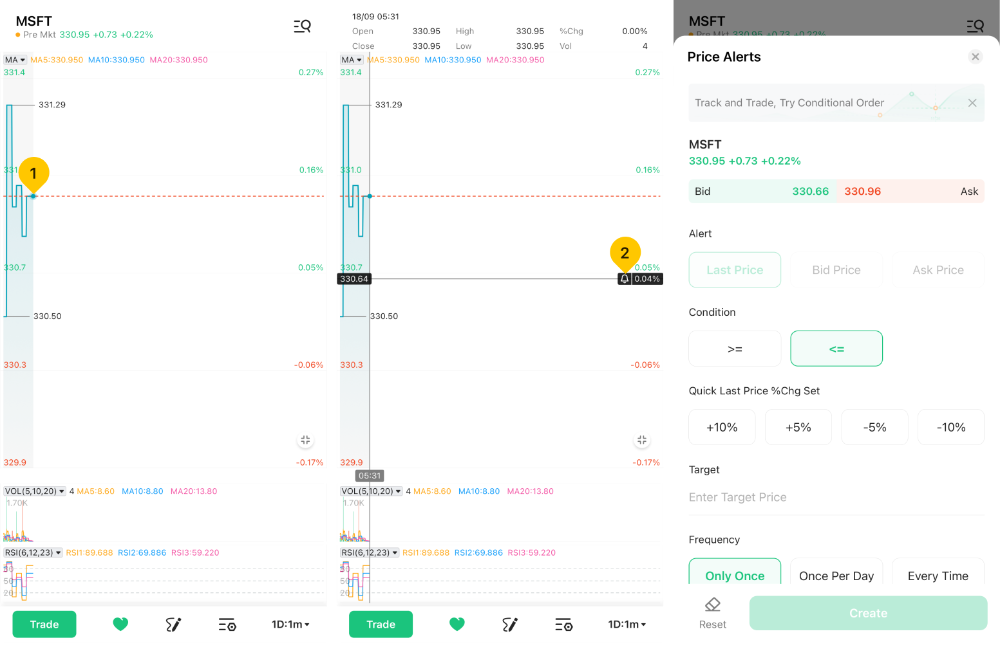
- Long press until the crosshairs appear.
- Tap "Bell" icon on the right side of the screen to set a price alert.
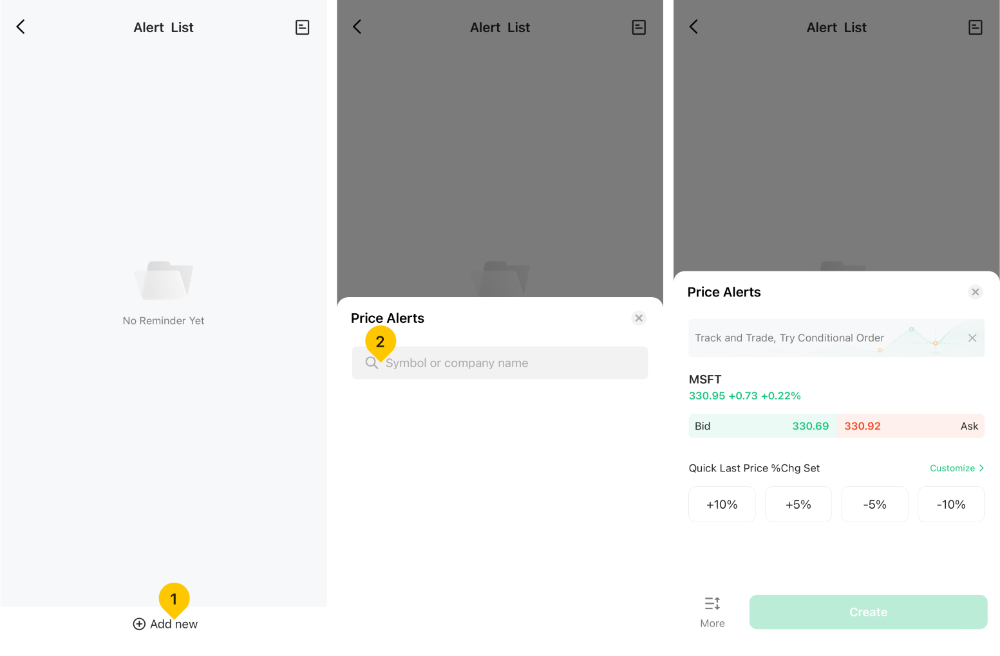
Method 3:
- Tap "More" on the upper left corner.
- Scroll down to activate "Stock Alert".
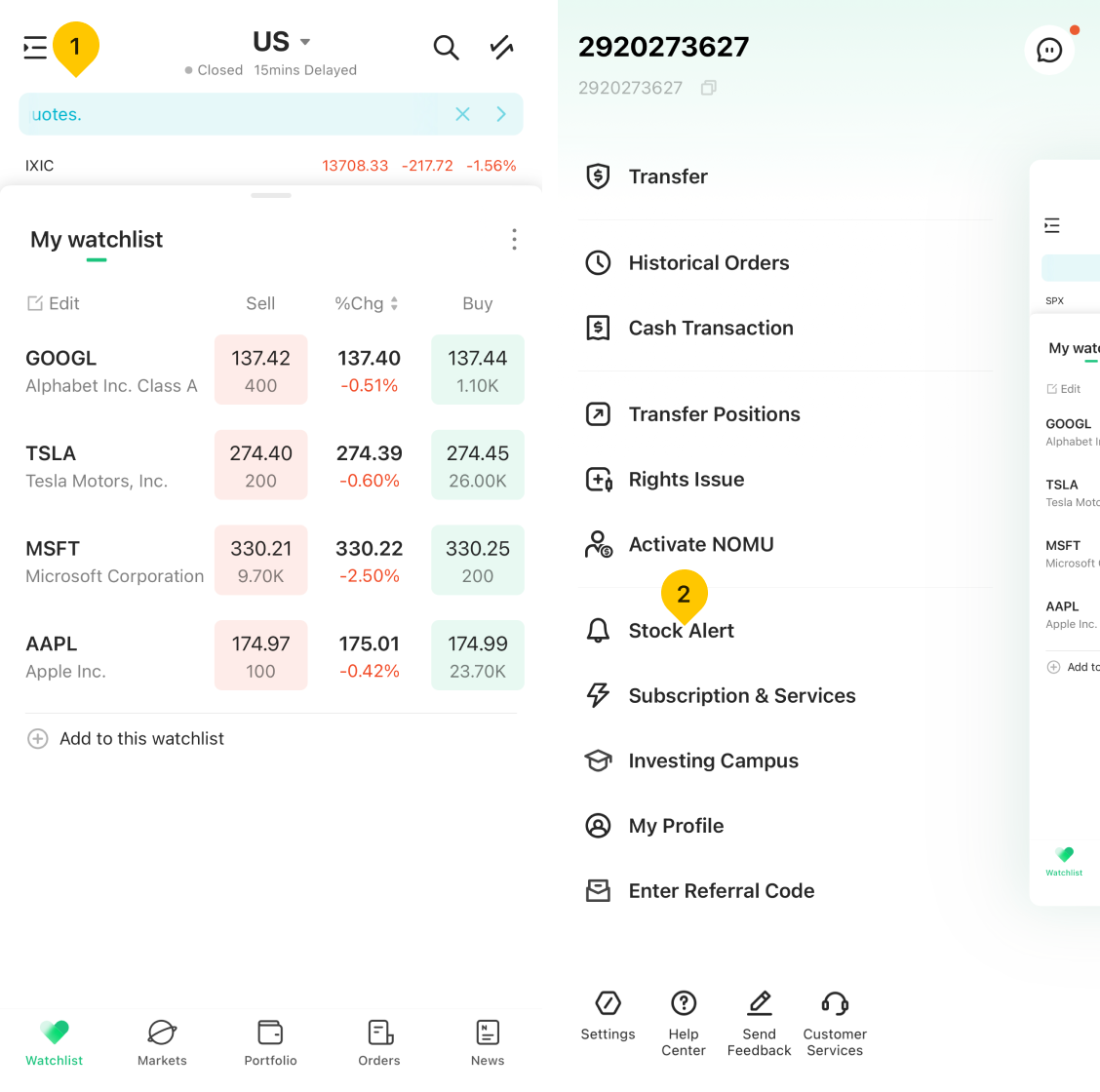
- Tap "Add new" and input your preferred company name or symbol.
Was this article helpful?
You can also
contact Customer Services
for help.
Yes
No