

How can UAE users deposit funds?
1. Tap the "Portfolio" located at the bottom of the page, then tap "Deposit" in the middle of the Portfolio page.
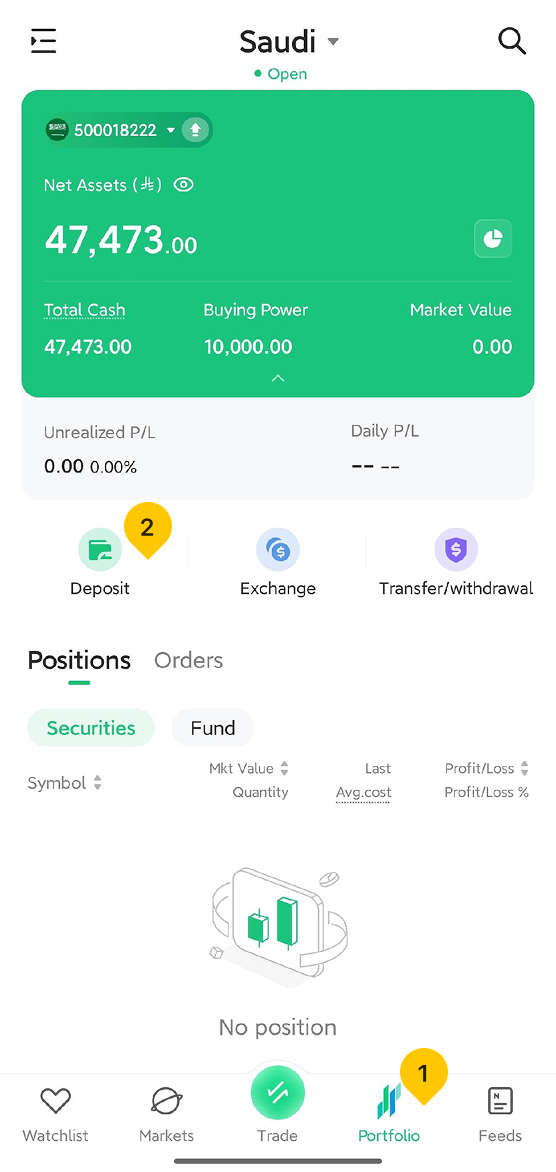
2. Select your deposit method: You can choose either mada card deposit or bank transfer deposit.
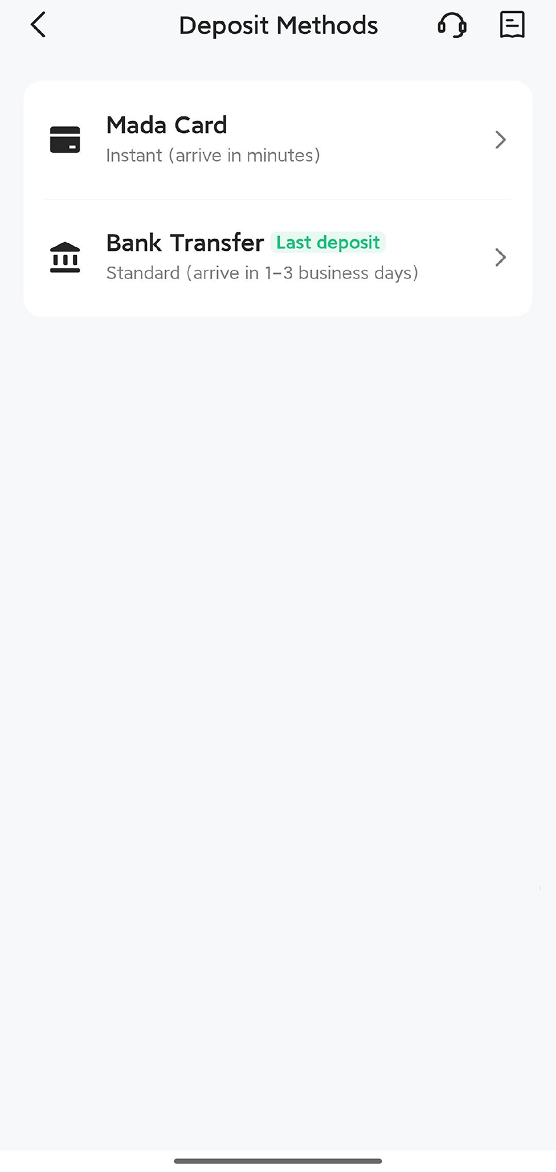
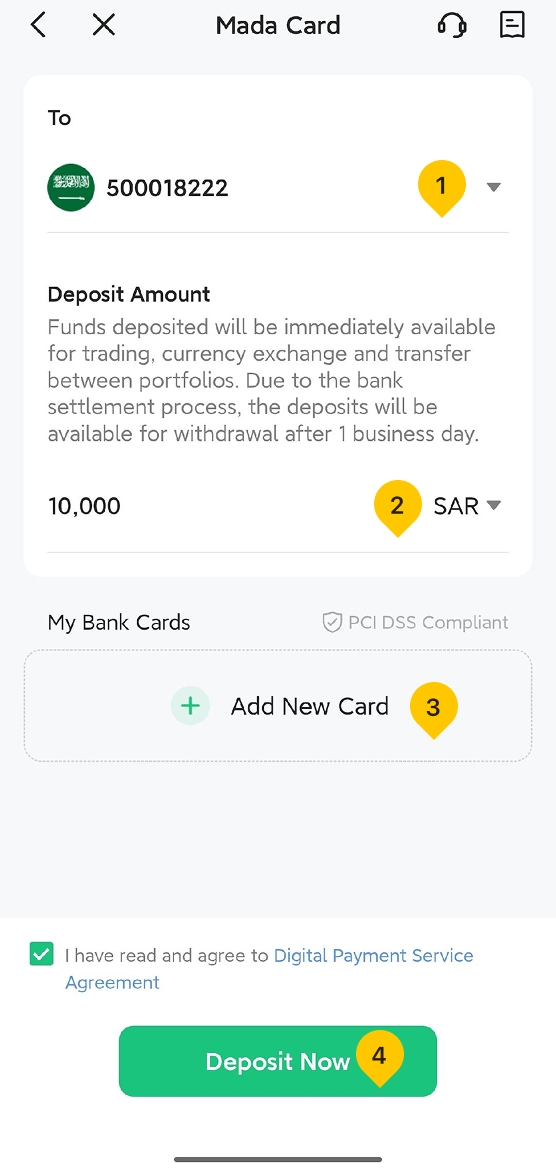
3. If you choose mada card deposit, follow these steps:
- Select the wallet you wish to deposit funds into.
- Enter the amount you wish to deposit.
- If you have not yet linked a bank card, you will need to click "Add New Card" and fill in the relevant information. If you have already linked a bank card, you may skip this step.
- Read and check the relevant agreement, then click "Deposit Now".
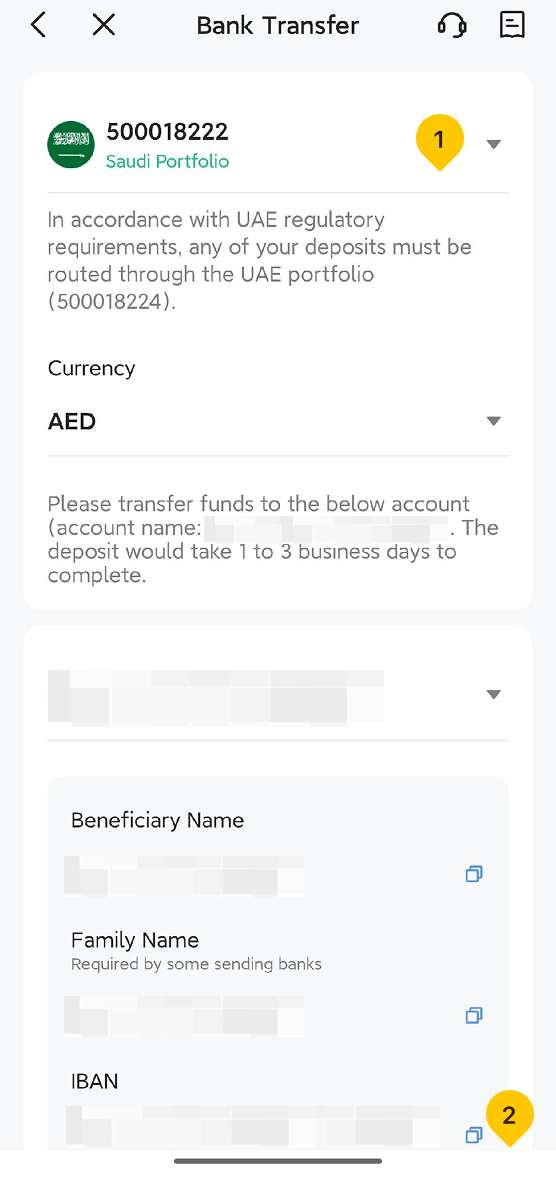
4. If you choose bank transfer deposit, follow these steps:
- Select the wallet you wish to deposit funds into.
- Tap the blue "Copy" icon to copy the provided bank information.
- Access your bank's online platform, and use the copied bank information to initiate a transfer from your bank account to your Sahm account.
Bank Deposit Important Notes:
- Before making a deposit, please confirm that the name on the bank card from which you are transferring funds exactly matches the name on your Sahm account. If they do not match, we will be unable to verify, which will result in a failed deposit.
- If you initiate a deposit before 15:00 Arabic Standard Time (AST), your transfer will be finalized on the same day; however, if the deposit is made after 15:00 Arabic Standard Time (AST), the transfer will be processed on the following business day.
Was this article helpful?
You can also
contact Customer Services
for help.
Yes
No