

How can UAE users withdraw funds?
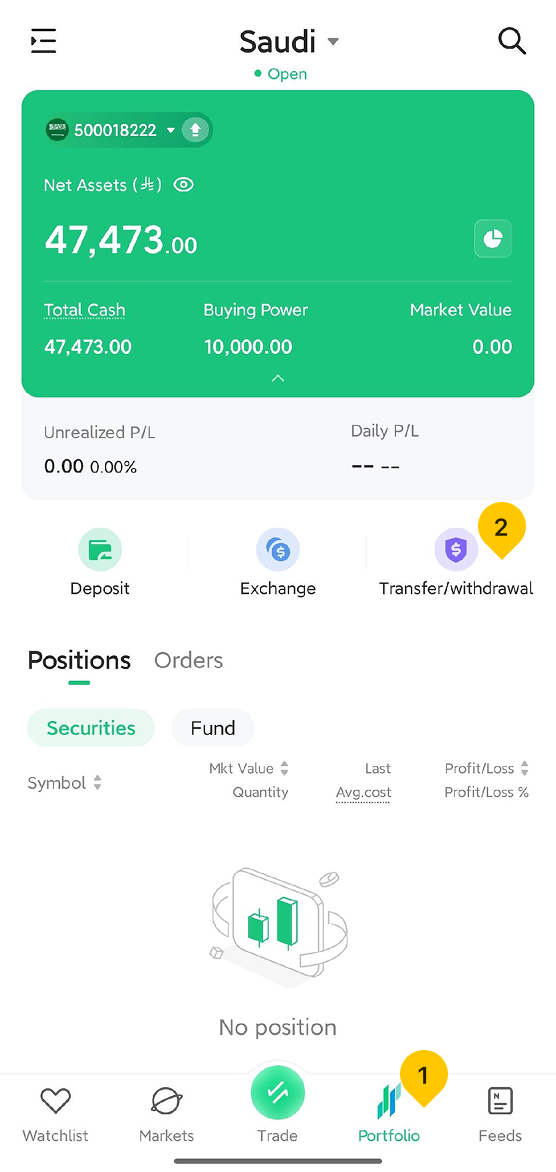
1. Tap the "Portfolio" located at the bottom of the page, then tap "Transfer/Withdrawal" in the middle of the Portfolio page.
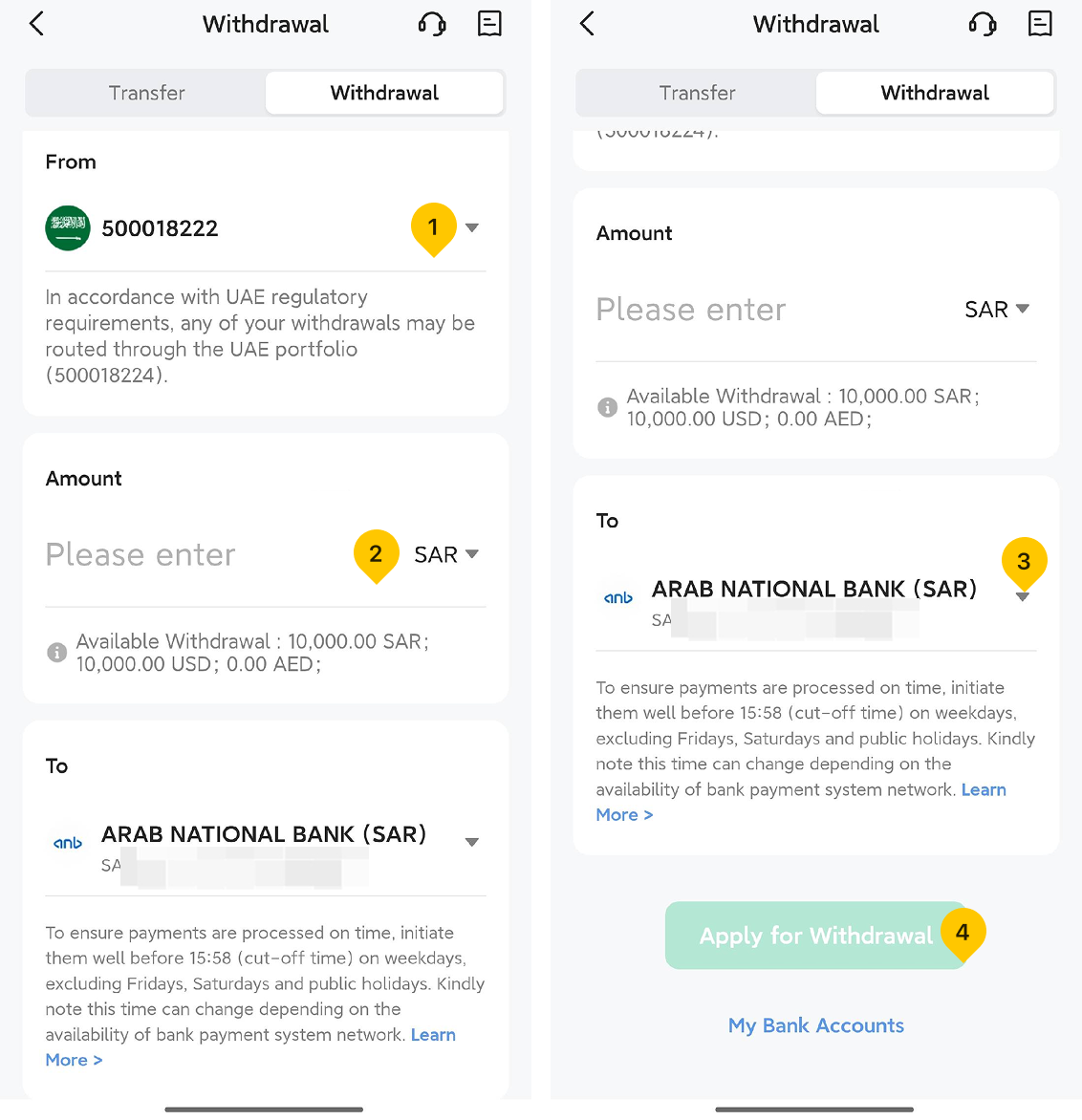
2. On the "Withdrawal" page, follow these steps:
- Select the wallet you wish to withdraw funds from.
- Select the currency you wish to withdraw and enter the amount.
- Select the bank card you wish to withdraw to, and tap "Apply for Withdrawal".
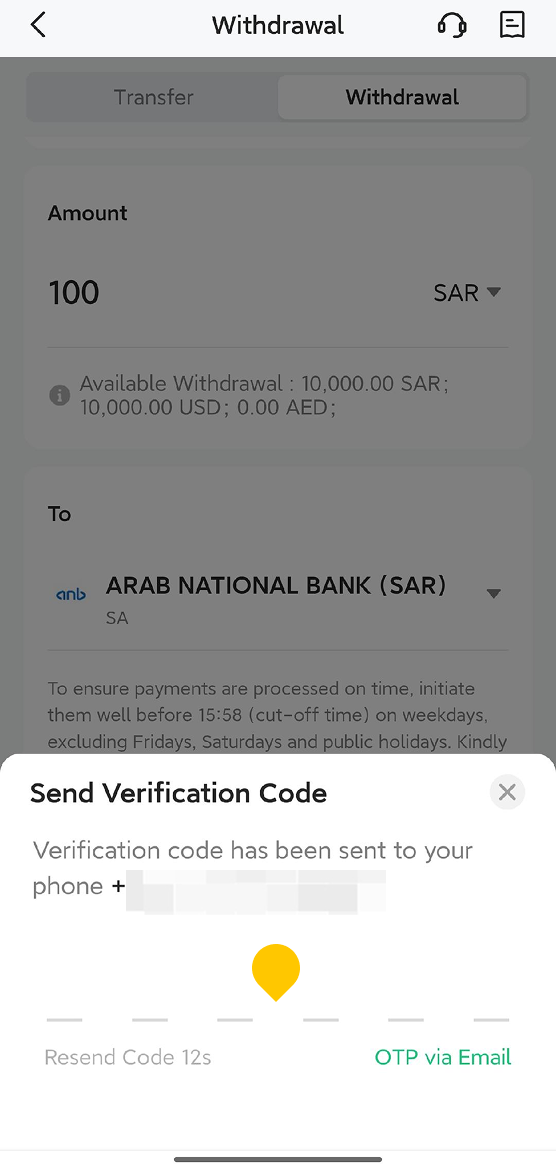
3. Enter the one-time password (OTP) you received via SMS to complete the withdrawal request.
Was this article helpful?
You can also
contact Customer Services
for help.
Yes
No