

How to exchange currency on Sahm?
1. Tap the "Portfolio" located at the bottom of the page, then tap "Exchange" in the middle of the Portfolio page.
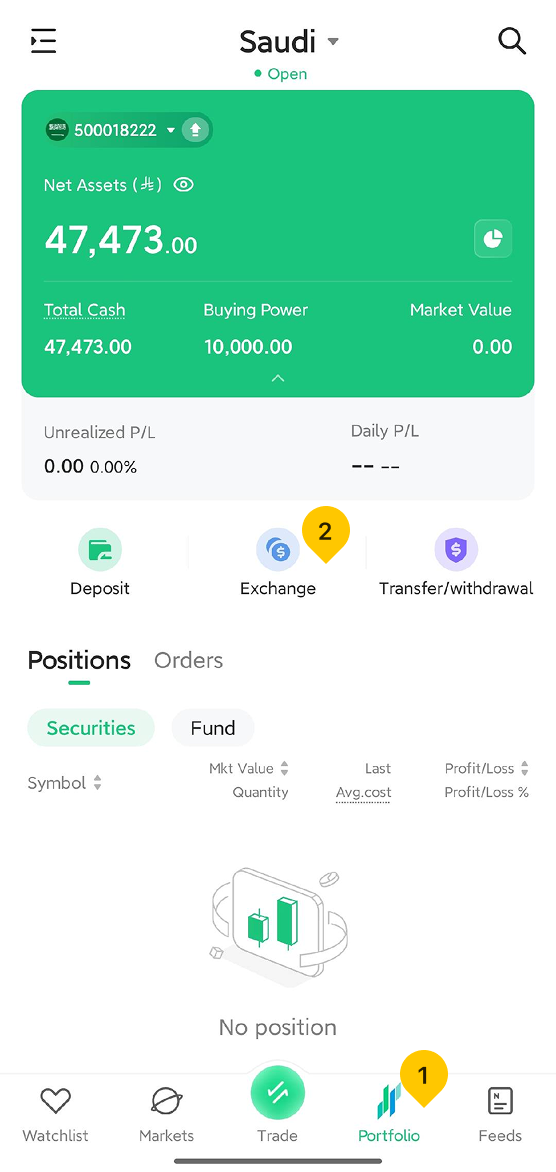
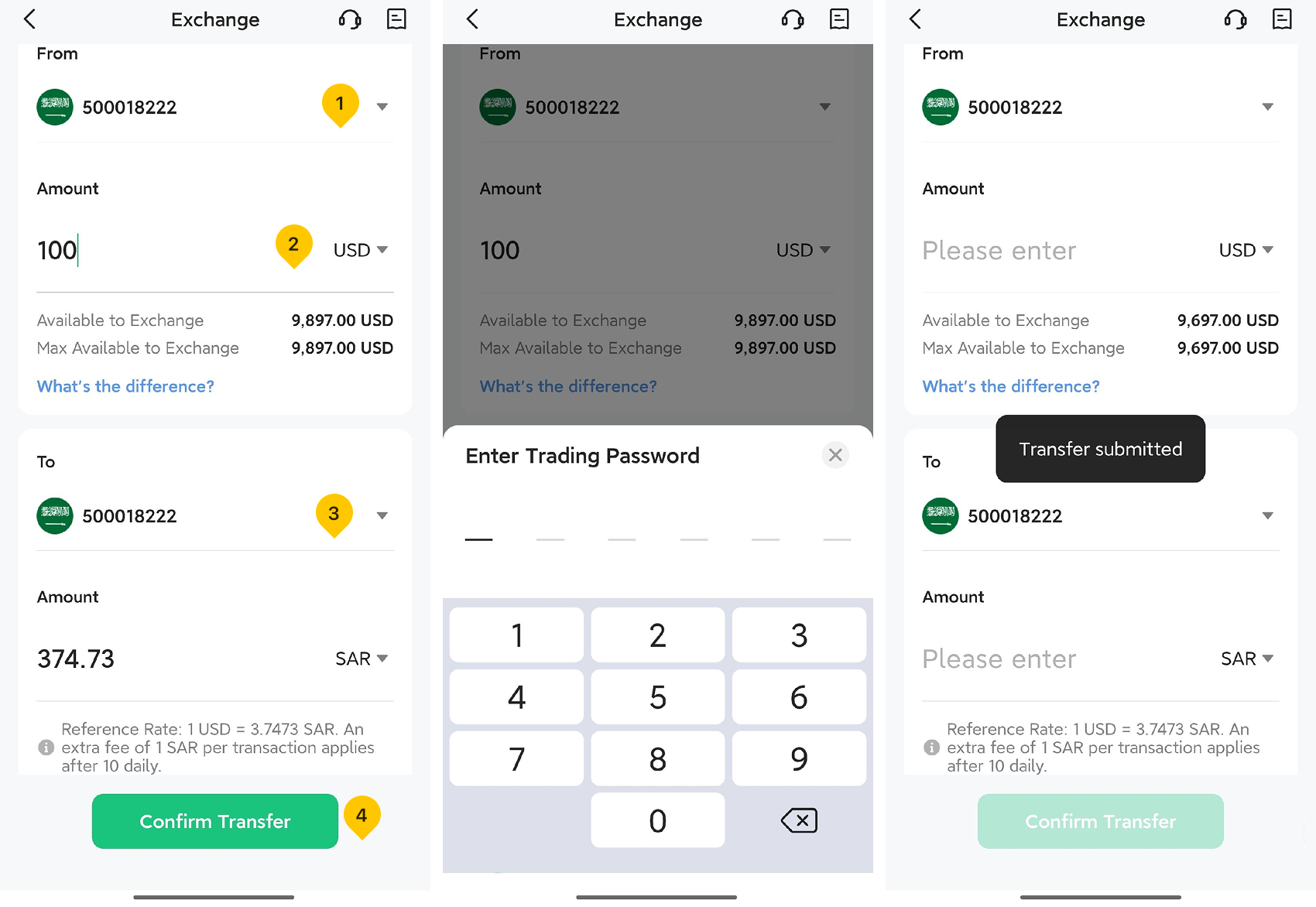
2. On the "Exchange" page, follow these steps:
- Select the wallet you wish to transfer funds from.
- Select the currency you wish to transfer and enter the amount.
- Select the wallet you wish to transfer to and the currency you wish to receive; the system will automatically calculate the amount to be credited.
- Tap "Confirm Transfer".
- Enter your trading password.
Was this article helpful?
You can also
contact Customer Services
for help.
Yes
No