

How to transfer Saudi stocks into Sahm?
To transfer stocks into Sahm, please perform the following steps:
- Tap the "More" icon located on the upper left of the page.
- Tap the "Financial Service", then tap "Transfer Positions".

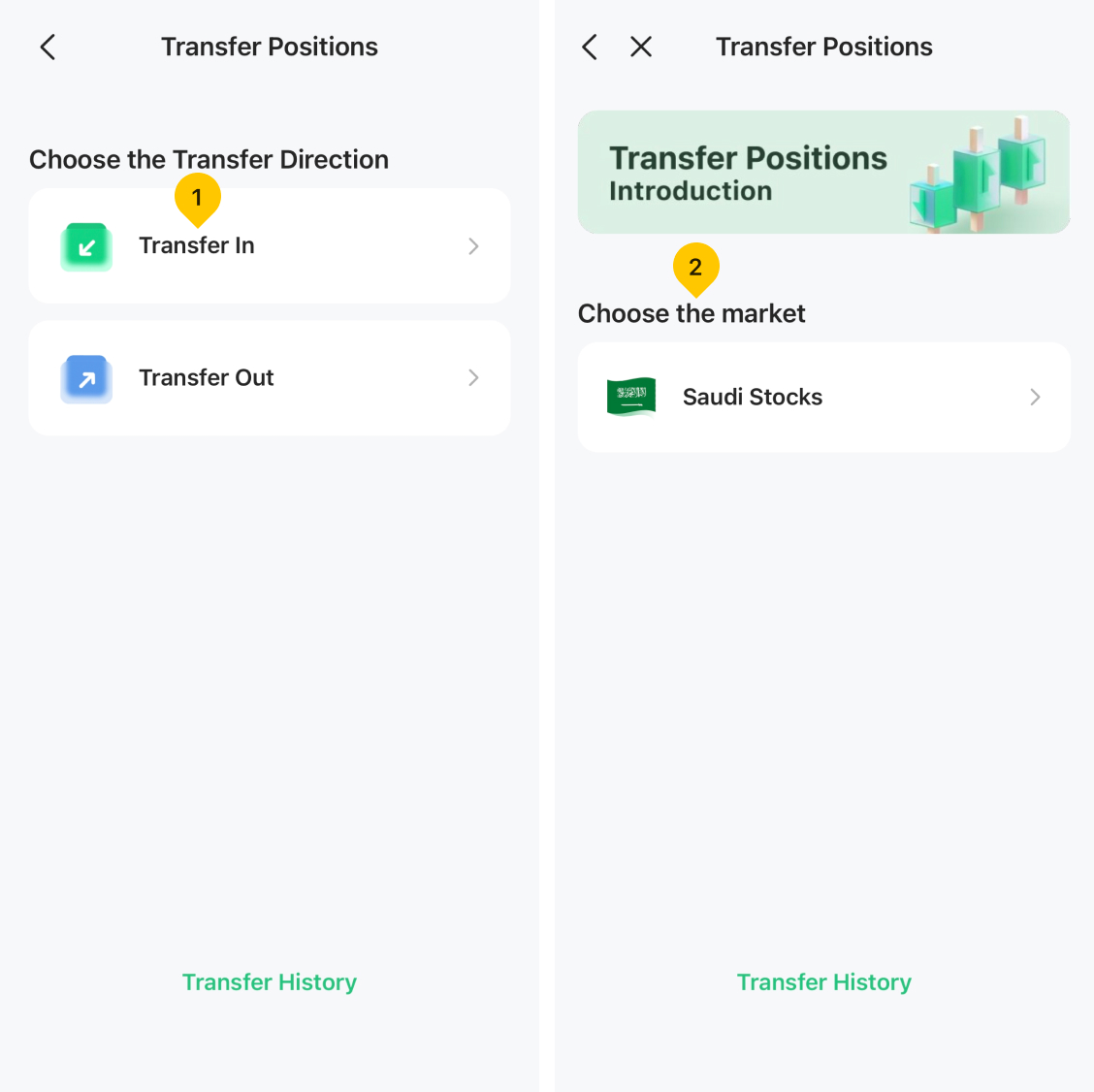
- Choose the direction of the transfer. For incoming stocks, tap "Transfer In".
- Select "Saudi Stocks" to specify the market from which the stocks are being transferred.
- Acquire Sahm's brokerage account information and furnish it to your current broker to request the initiation of the outgoing stock transfer.
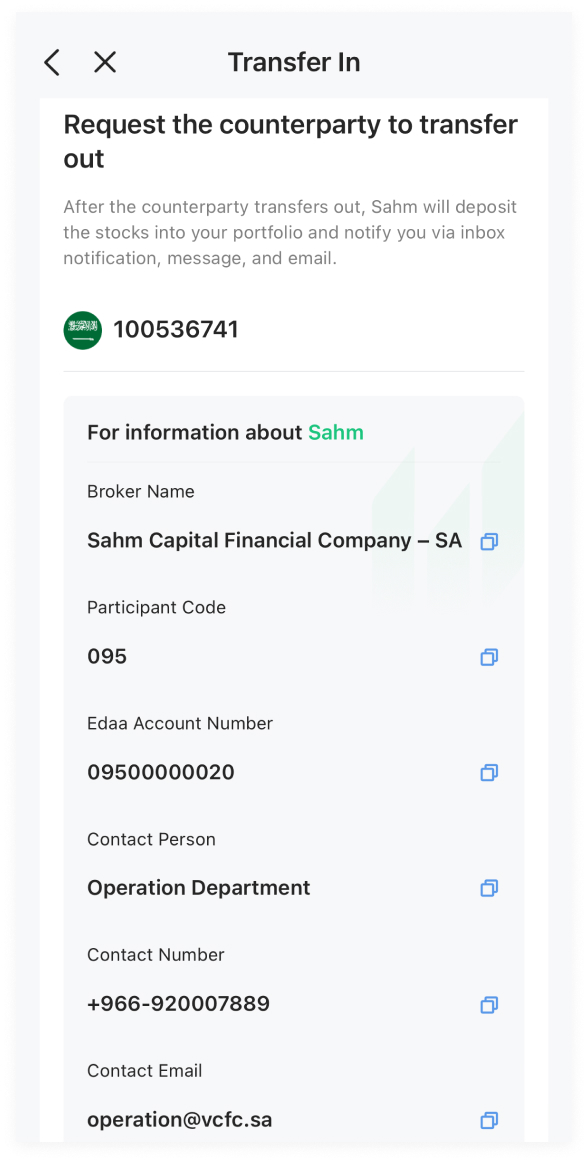
Note: Please request your current broker to initiate the stock transfer out. After completion, Sahm will assign the transferred stocks to your account, and you will receive confirmation via an in-app notification, message, and email.
Was this article helpful?
You can also
contact Customer Services
for help.
Yes
No