

What to do if you forgot your trading password?
If you forgot your trading password, please follow the steps below to change it:
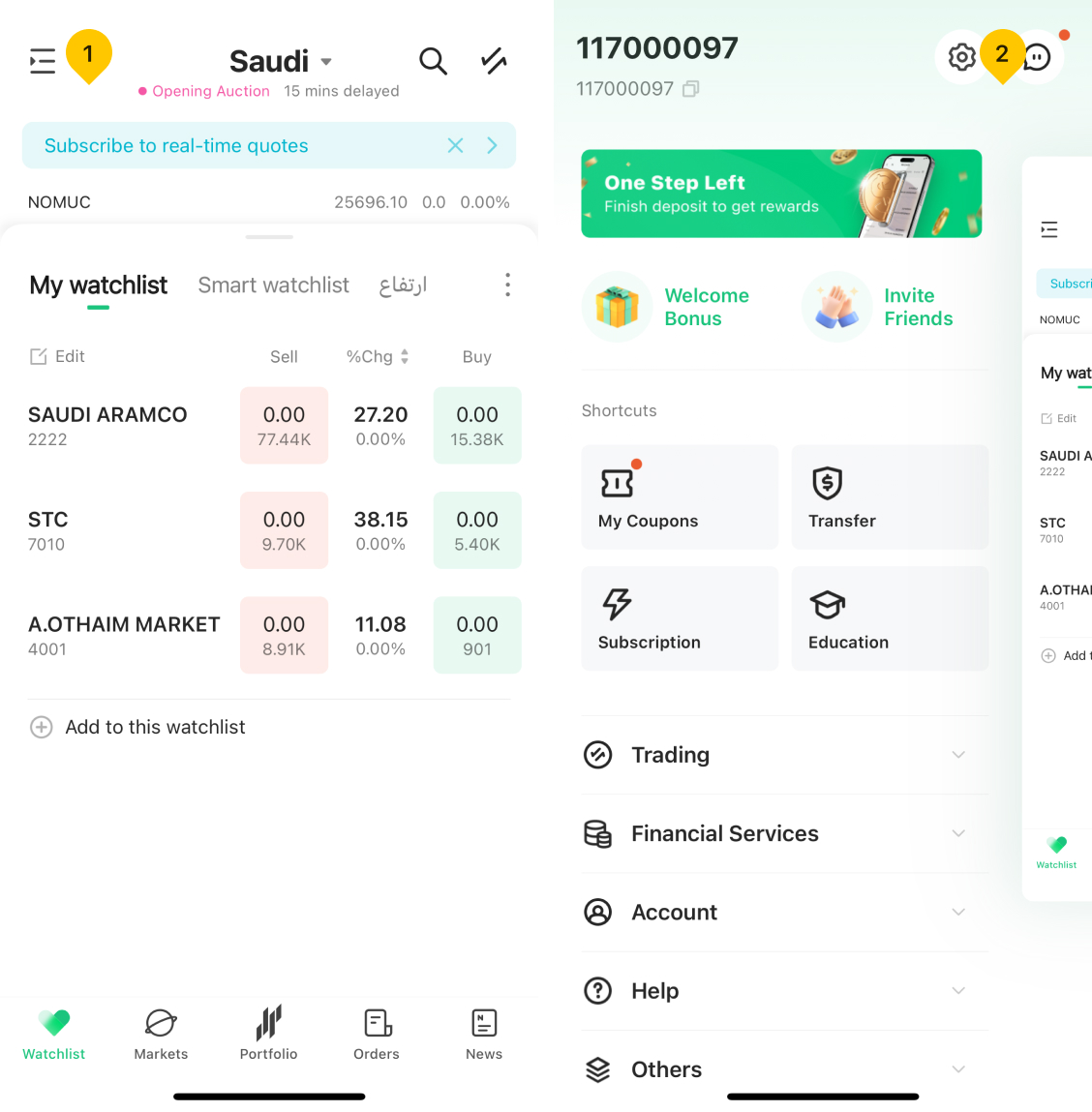
- Tap the "More" icon located on the upper left of the Watchlist page.
- Tap the "Settings" icon in upper right corner.
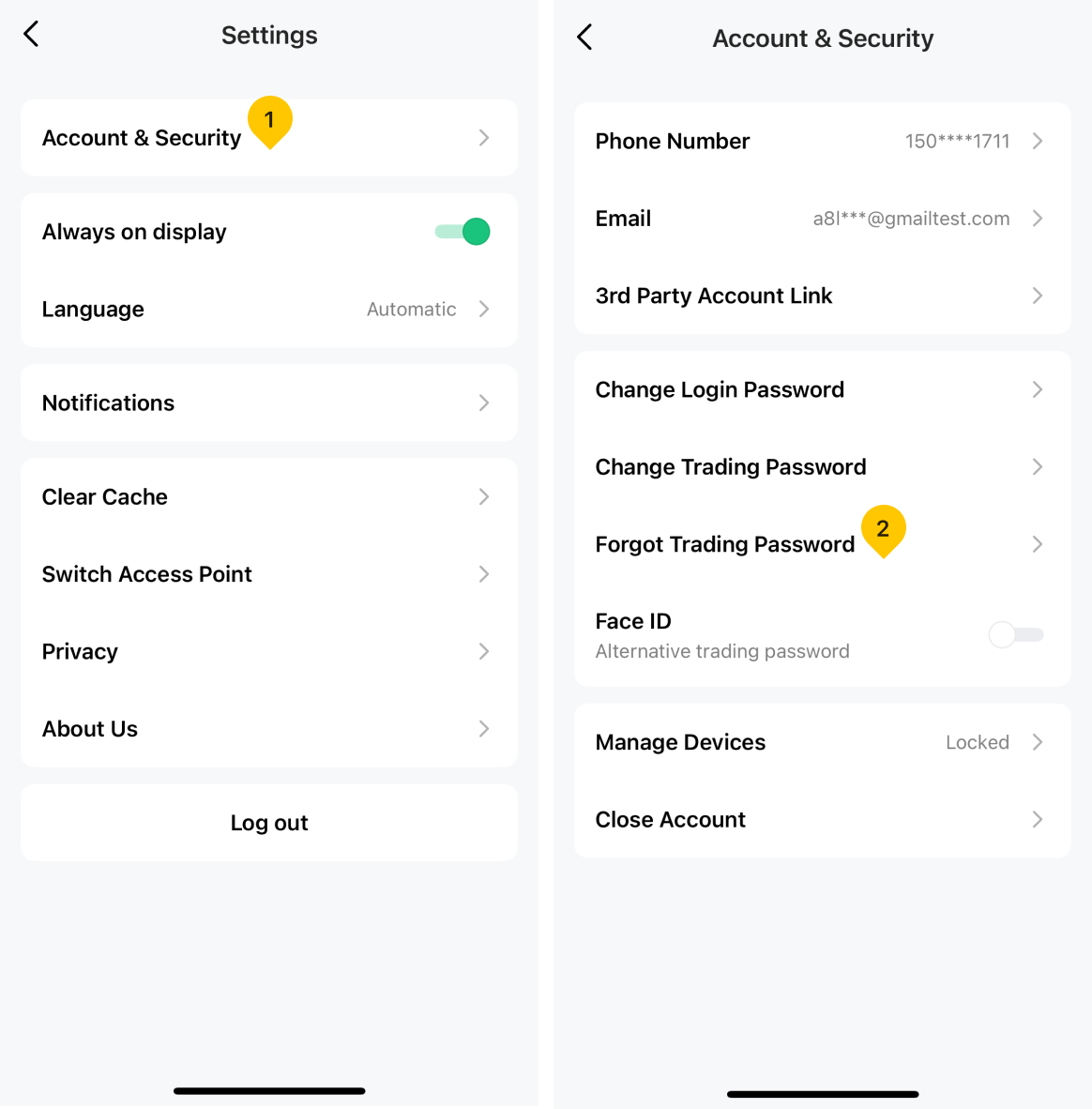
- Tap the "Account & Security".
- Tap the "Forgot Trading Password".
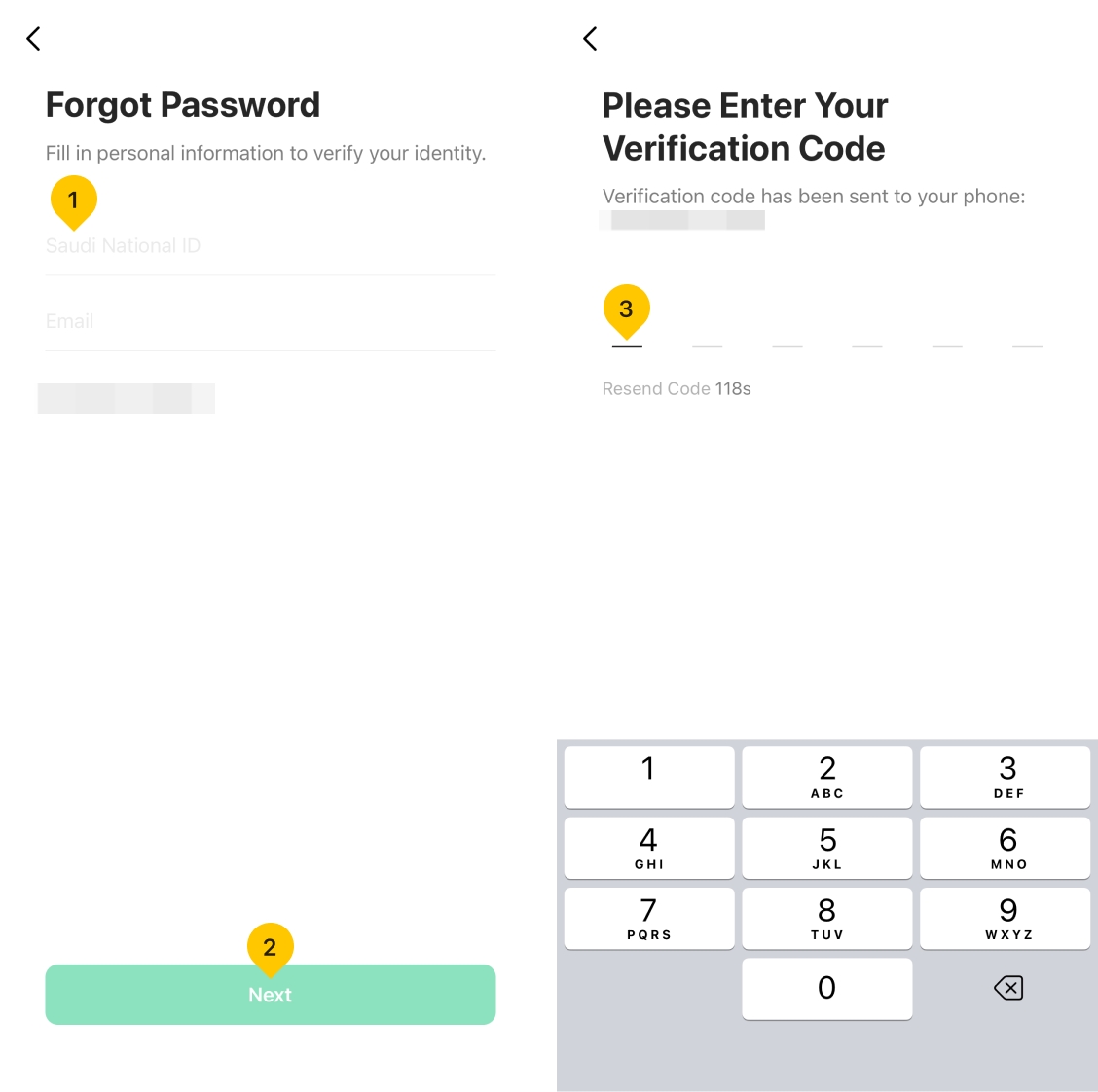
- Fill in Saudi National ID number and Email address respectively, and then tap "Next".
- Enter the verification code received on your mobile phone.
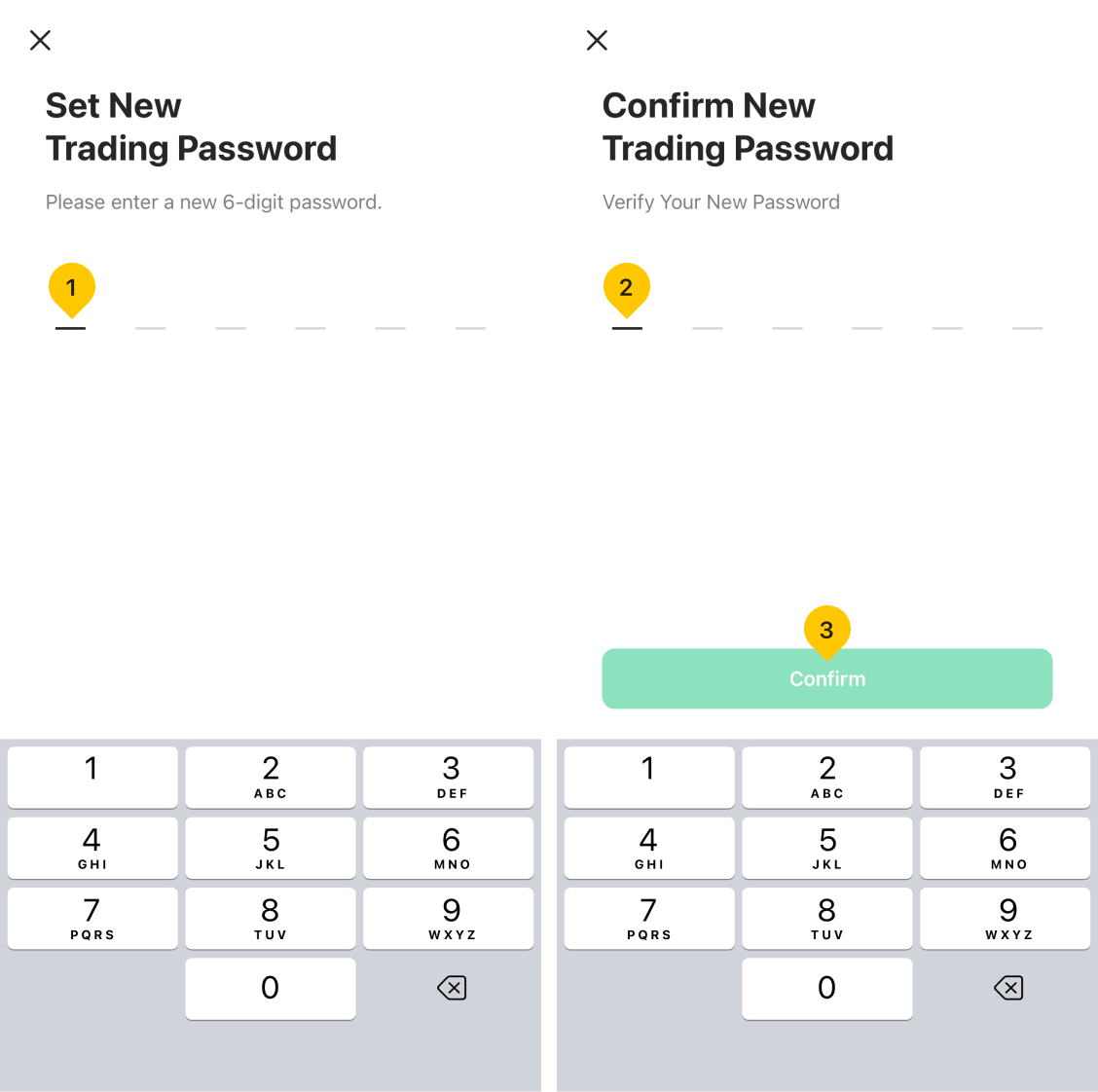
- Set the new trading password.
- Confirm the new trading password.
Was this article helpful?
You can also
contact Customer Services
for help.
Yes
No