

How to transfer stock out of Sahm?
To transfer stocks out of Sahm, please perform the following steps:
- Tap the "More" icon located on the upper left of the Watchlist page.
- Tap the "Transfer Positions".
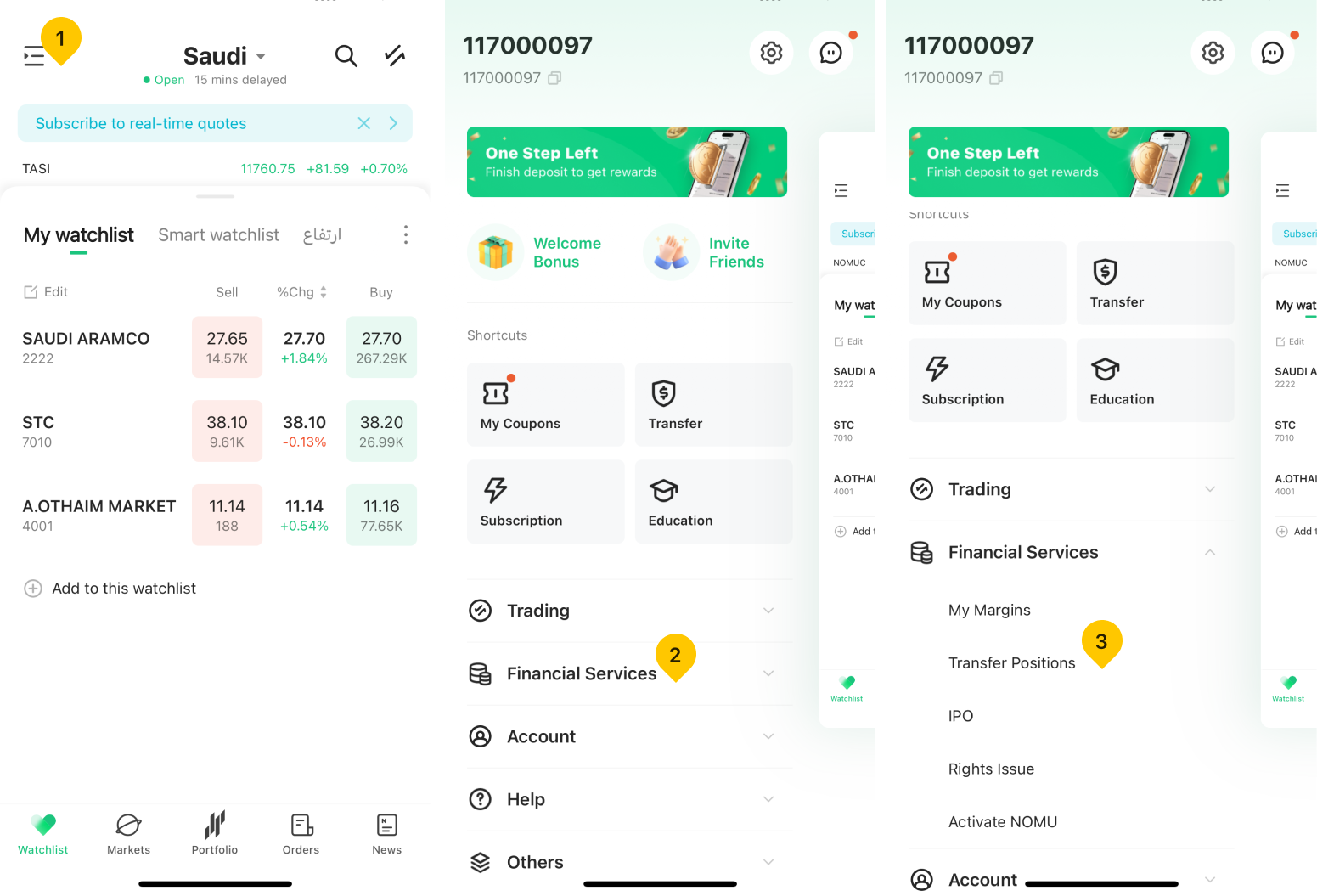
- Tap "Transfer Out" and select "Saudi Market".

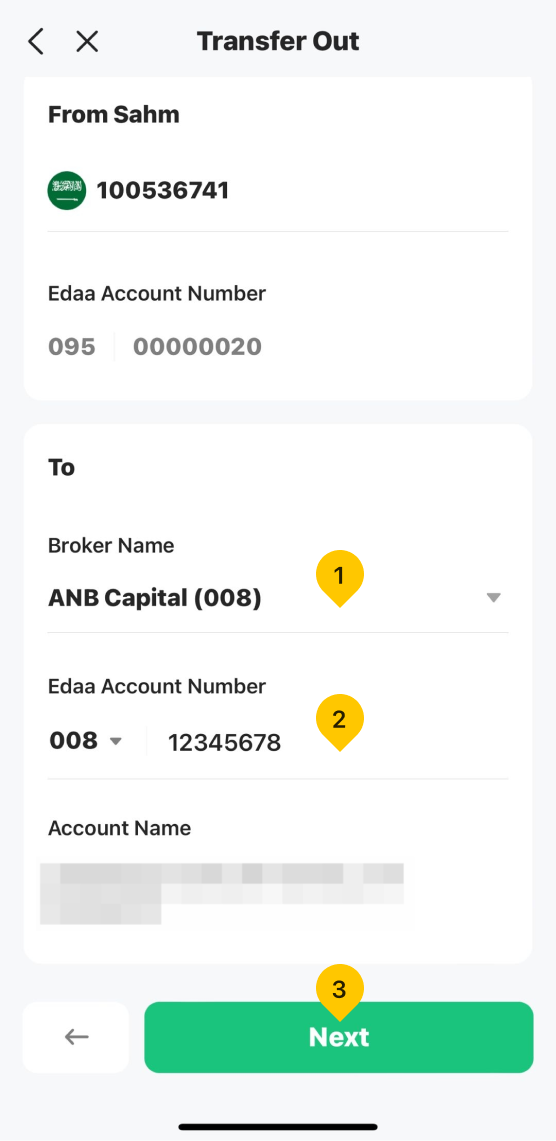
- Enter the outgoing broker's name and Edaa account number, then tap "Next".
- Enter the stock symbol and quantity, then tap "Next". Tap "Confirm" to complete the stock transfer-out process.
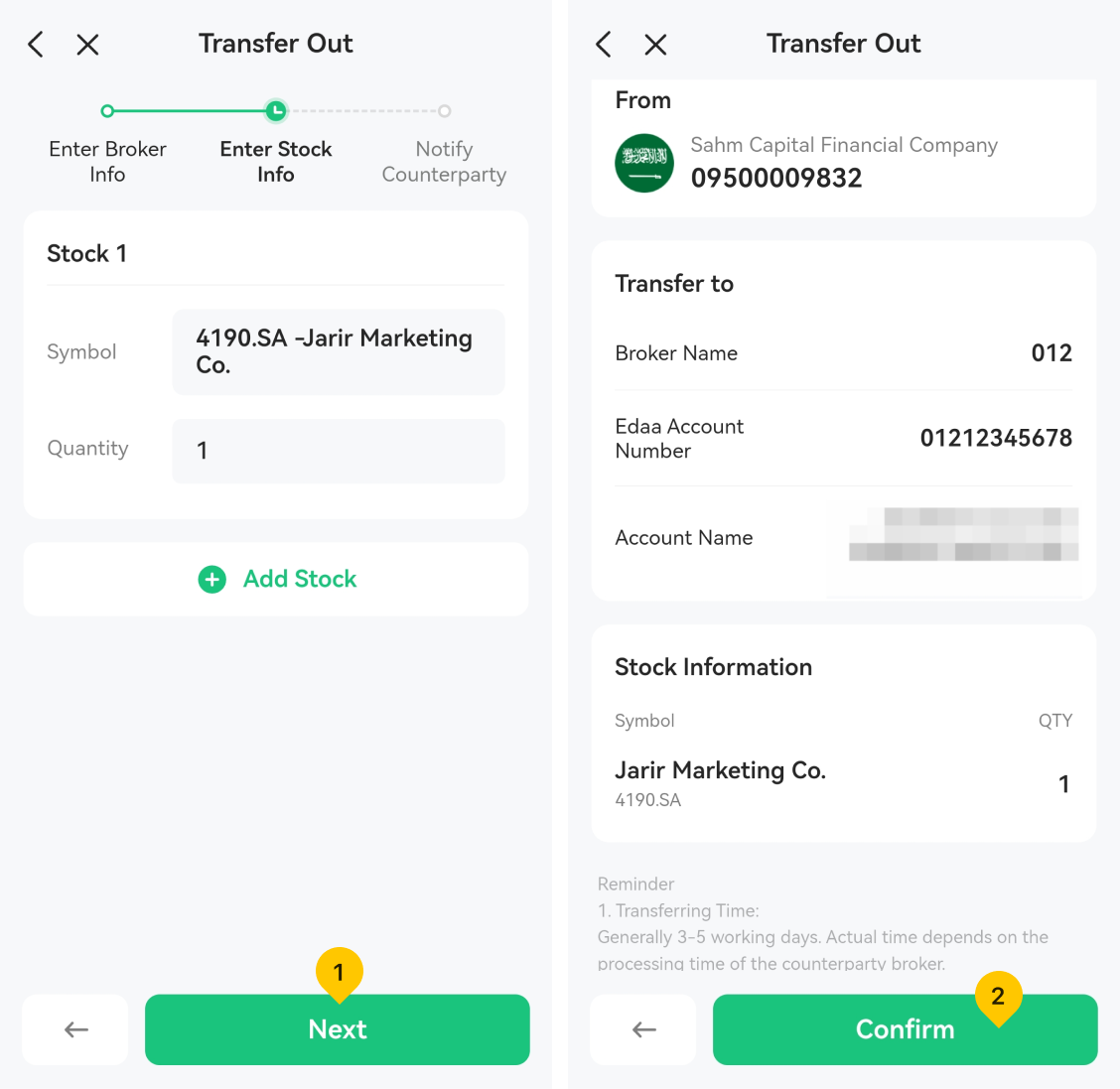
Note: After submitting the stock transfer-out application, notify the outgoing broker to initiate the stock transfer process.
Was this article helpful?
You can also
contact Customer Services
for help.
Yes
No